Skip opening every group and pasting the same thing again. Write your post with rich text, add and reorder your images, then search and select the Facebook groups you want to share with. Your draft stays saved while you get it right.
Several accounts. Posting at the same time.
Run posting queues for multiple Facebook accounts at the same time. Each account keeps its own browser session, groups, drafts, and posting settings, so you can prepare another post or check progress without interrupting the other accounts.
Work in the language you think in.
Choose from 33 interface languages, including right-to-left layouts. Menus, controls, and app-generated log messages follow your choice across windows. And with 189 themes, you can make Postika feel like your own.
See where every post stands.
Follow progress group by group. See what’s published, what’s awaiting approval, and what needs attention, including failed, skipped, and unconfirmed submissions. Pause, resume, or stop your queue from the same window.
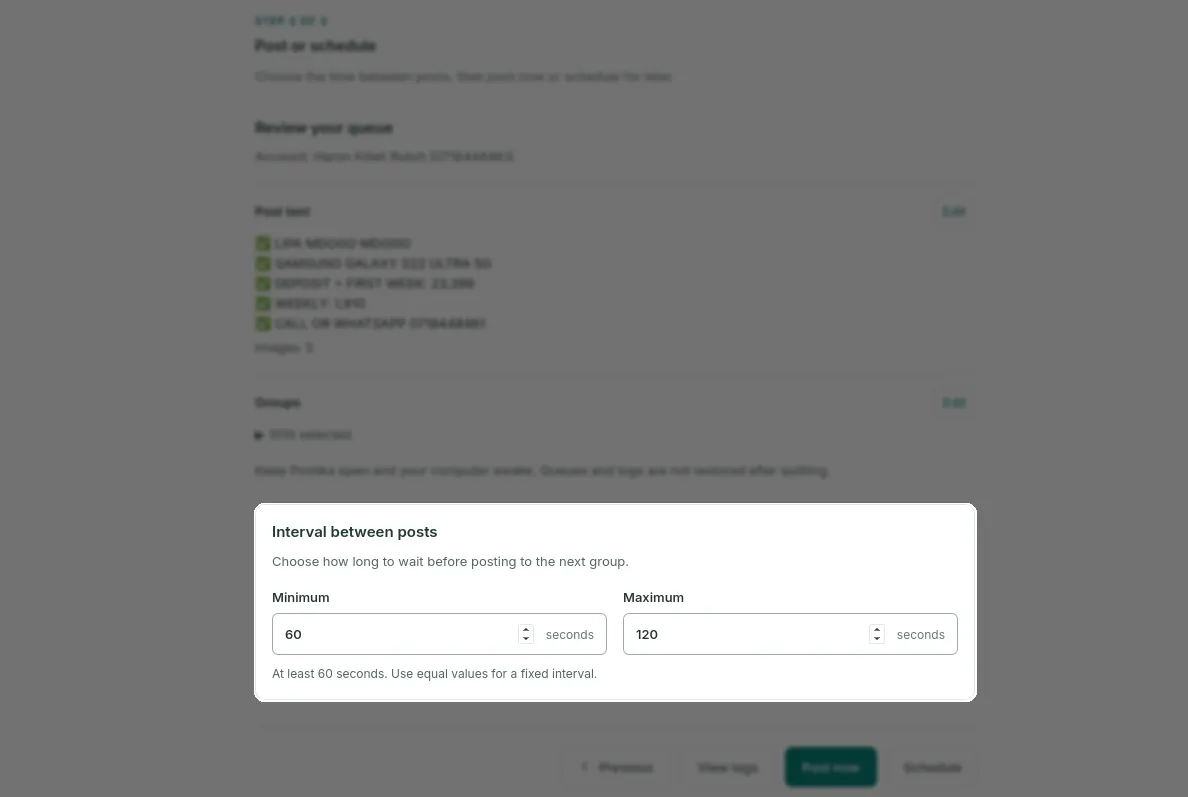
Set your pace. Leave room between posts.
Choose your own minimum and maximum interval between posts to avoid posting in rapid succession and help reduce the risk of rate limits or account restrictions. Follow progress as the queue runs, and pause whenever you need to.
Posting intervals don’t guarantee protection from Facebook restrictions or bans.
Bring your page posts along.
Already have a post worth sharing? Import posts from a Facebook page your signed-in account can access. Review the text and images, make your edits, and add the posts you want to your queue.
Prepare now. Schedule for later.
Schedule your posts for a date and time that suits you. When that time arrives, Postika automatically starts posting to your selected groups. You don’t need to be there to press Post.
Keep your device on and awake, with Postika open, so it can handle the posting for you.
A few things to know
What is a Facebook group auto poster?+
A Facebook group auto poster helps you share a prepared post across the groups you select. Postika combines a post editor, group selection, scheduling, and posting logs in one desktop app.
Is Postika a Chrome extension?+
Postika is a desktop app for Windows, macOS, and Linux. It uses an installed Chrome or Chromium browser for your Facebook sessions.
What do I need to run Postika?+
A supported Windows, macOS, or Linux computer, an installed Chrome or Chromium browser, and your Facebook account. Platform downloads are listed on the downloads page.
Can multiple Facebook accounts post at the same time?+
Yes. Multiple accounts can run their posting queues in parallel. Each account has a separate browser session, groups, drafts, and posting settings. Switching accounts doesn’t interrupt the other queues.
Does my computer need to stay on?+
Yes. Keep Postika open and your computer awake while a queue is scheduled or running. Queues and posting logs are not restored after quitting.
Does a submission mean my post is published?+
Some groups require approval. Posting logs distinguish published posts, pending approval, failed, skipped, and unconfirmed submissions. Check unconfirmed results on Facebook before retrying.